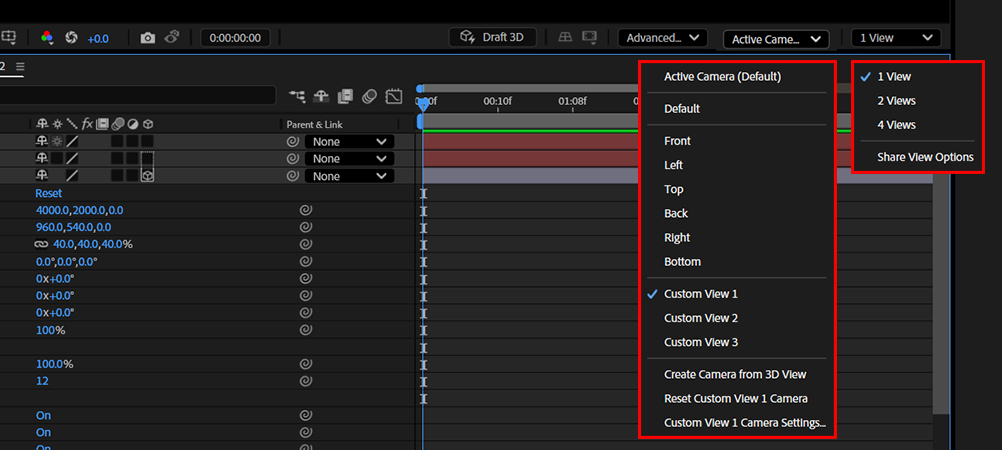
The selection includes three types of view panes:
Orthogonal (Front, Top, Left, Etc)
Custom Views (3 Standard views)
Camera Views (Active Camera by default plus any Cameras later added to Comp)
It is recommended that you change the pane layout from 1 View to 2 or 4 views to allow you to fully grasp where your elements are sitting within the 3D workspace.
PRO TIP: the keyboard shortcut C will bring up the Camera Navagation tool. It will default to Orbit the POV around the scene. Hit it again and it will change to Pan to slide up, down, left and right. Hit it a 3rd time to enable the Dolly Tool, to push into and out of the scene.